- Supabase
- RLS
- Multi-Tenant
- SaaS
- Next.js
- Security
Achieving Bulletproof Multi-Tenant Data Isolation with Supabase RLS and Next.js
For technical founders and CTOs building multi-tenant SaaS applications on Next.js with Supabase, the critical challenge of ensuring strict data isolation between tenants…
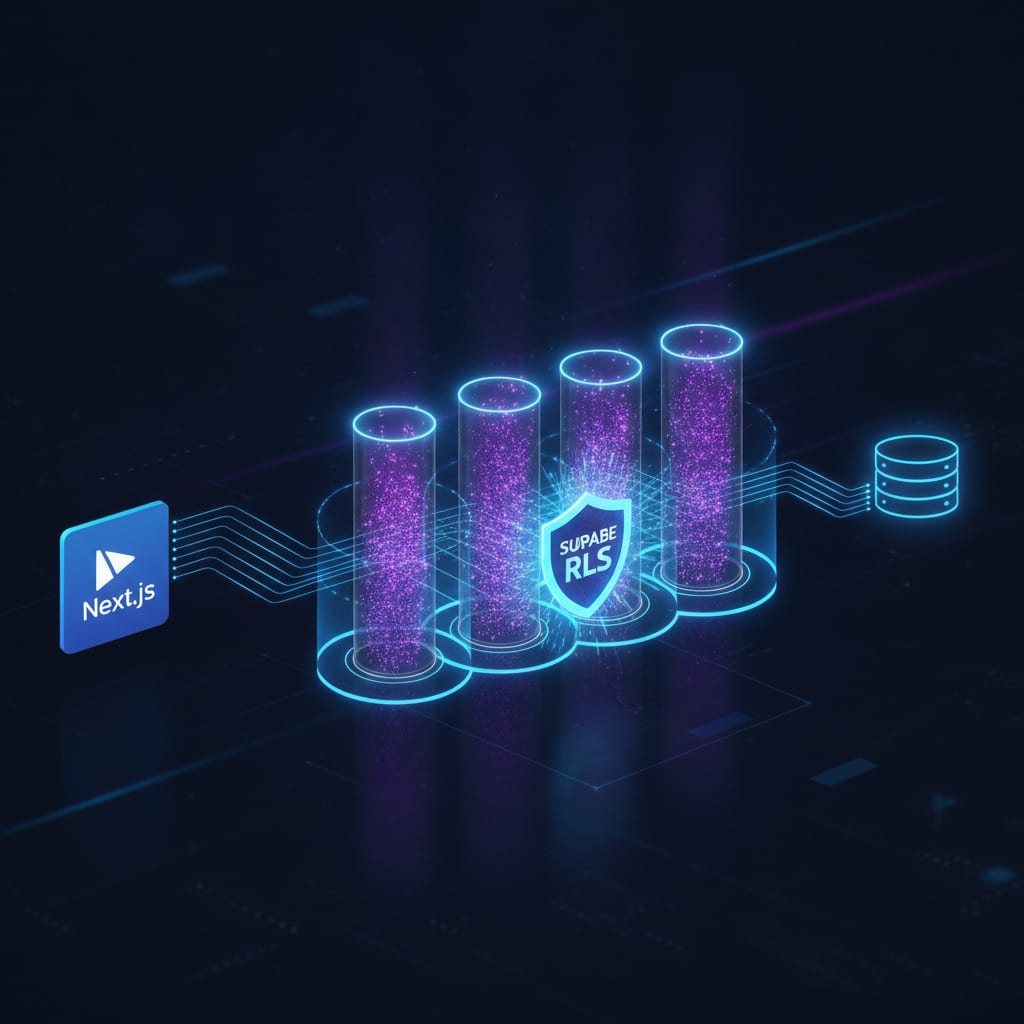
You're building a multi-tenant SaaS application on Next.js with Supabase, and the specter of data leakage between tenants keeps you up at night. You've implemented WHERE tenant_id = '...' clauses in your application code, but a nagging voice asks: is that truly enough? What if a developer forgets a clause? What if a bug in a complex query bypasses it? This isn't just about good practice; it's about preventing catastrophic data breaches and maintaining trust with your customers. For engineers who've grappled with these production edge cases, the answer isn't more application logic; it's database-level enforcement through Supabase Row-Level Security (RLS).
TL;DR
- Problem: Application-level filtering for multi-tenancy is prone to errors and security vulnerabilities.
- Solution: Implement Supabase Row-Level Security (RLS) to enforce data isolation at the database level.
- Key Mechanism: Use Postgres policies that leverage
auth.uid()and atenant_idcolumn to restrict data access. - Next.js Integration: Ensure the Supabase client is initialized with the authenticated user's session, making
auth.uid()available to RLS policies. - Edge Cases: Account for policy complexity, performance, testing, and admin overrides.
The Inherent Fragility of Application-Level Filtering
Many developers start multi-tenant applications by adding a tenant_id column to every relevant table and filtering queries in their application code. This approach seems straightforward initially. You fetch the current user's tenant_id from their session or JWT and append WHERE tenant_id = current_tenant_id to every database operation.
However, this strategy is inherently fragile. It relies entirely on every single query, every single developer, and every future code change consistently applying the correct filter. A missed WHERE clause, a complex join that inadvertently exposes data, or even an ORM misconfiguration can lead to one tenant viewing or modifying another tenant's data. This isn't a theoretical risk; it's a common vulnerability in rapidly evolving SaaS products. As your codebase grows and more developers contribute, the probability of such an oversight increases dramatically.
Enter Supabase Row-Level Security (RLS)
Supabase, built on PostgreSQL, offers a robust solution to this problem: Row-Level Security. RLS allows you to define policies that restrict access to individual rows in a table based on the characteristics of the currently authenticated user. These policies are enforced directly by the database, meaning no matter how a query originates (whether from your Next.js app, a direct SQL client, or an API tool), the RLS policies will always apply.
This fundamentally shifts the security perimeter. Instead of trusting your application code to always filter correctly, you trust the database itself to prevent unauthorized data access. It's a powerful declarative approach to security that dramatically reduces the surface area for data leakage.
Core Concepts of Supabase RLS
ENABLE RLS: RLS is disabled by default for new tables. You must explicitly enable it for each table you want to protect.- Policies: These are SQL expressions that determine which rows a user can access for
SELECT,INSERT,UPDATE, andDELETEoperations. Policies are evaluated before anyWHEREclauses in your application query. auth.uid(): Within RLS policies,auth.uid()is a special function provided by Supabase (via thepg_graphqlextension andauthschema) that returns the UUID of the currently authenticated user. This is crucial for linking policies to the user making the request.tenant_idColumn: Your multi-tenant tables must have atenant_idcolumn (typically a UUID) to identify which tenant owns each row.
Designing Your Multi-Tenant Schema
For effective RLS, every table that stores tenant-specific data must include a tenant_id column. This column should be a uuid type and ideally, have an index for performance.
CREATE TABLE public.organizations (
  id uuid DEFAULT gen_random_uuid() PRIMARY KEY,
  name text NOT NULL,
  created_at timestamptz DEFAULT now()
);

CREATE TABLE public.projects (
  id uuid DEFAULT gen_random_uuid() PRIMARY KEY,
  tenant_id uuid NOT NULL REFERENCES public.organizations(id) ON DELETE CASCADE,
  name text NOT NULL,
  description text,
  created_at timestamptz DEFAULT now()
);

-- Ensure tenant_id is indexed for performance
CREATE INDEX ON public.projects (tenant_id);
In this example, organizations could be your top-level tenant entity. The projects table then references organizations.id as its tenant_id.
Implementing RLS Policies for Multi-Tenancy
Let's assume your Supabase auth.users table stores the id of the authenticated user. To link this to a tenant_id, you'll typically have a public.profiles table that maps auth.users.id to a public.organizations.id.
CREATE TABLE public.profiles (
  id uuid REFERENCES auth.users(id) ON DELETE CASCADE PRIMARY KEY,
  organization_id uuid REFERENCES public.organizations(id) ON DELETE CASCADE,
  email text UNIQUE
);

-- Create a function to get the current user's organization_id
CREATE OR REPLACE FUNCTION public.get_current_org_id() RETURNS uuid LANGUAGE plpgsql SECURITY DEFINER SET search_path = public AS $$
BEGIN
  RETURN (SELECT organization_id FROM public.profiles WHERE id = auth.uid());
END;
$$;
Now, with get_current_org_id() available, we can define RLS policies for our projects table.
ALTER TABLE public.projects ENABLE ROW LEVEL SECURITY;

-- Policy for SELECT operations
CREATE POLICY "Tenants can view their own projects" ON public.projects FOR SELECT TO authenticated USING (
  tenant_id = public.get_current_org_id()
);

-- Policy for INSERT operations
CREATE POLICY "Tenants can create their own projects" ON public.projects FOR INSERT TO authenticated WITH CHECK (
  tenant_id = public.get_current_org_id()
);

-- Policy for UPDATE operations
CREATE POLICY "Tenants can update their own projects" ON public.projects FOR UPDATE TO authenticated USING (
  tenant_id = public.get_current_org_id()
) WITH CHECK (
  tenant_id = public.get_current_org_id()
);

-- Policy for DELETE operations
CREATE POLICY "Tenants can delete their own projects" ON public.projects FOR DELETE TO authenticated USING (
  tenant_id = public.get_current_org_id()
);
Explanation:
ENABLE ROW LEVEL SECURITY: Activates RLS for theprojectstable.FOR SELECT TO authenticated: This policy applies toSELECTstatements for users who areauthenticated(i.e., logged in via Supabase Auth).USING (tenant_id = public.get_current_org_id()): This is the core of the policy. It ensures that a user can onlySELECTrows where thetenant_idmatches their ownorganization_id.FOR INSERT ... WITH CHECK: ForINSERToperations, theWITH CHECKclause ensures that thetenant_idprovided in the new row matches the user'sorganization_id. This prevents a user from inserting data into another tenant's space.FOR UPDATE ... USING ... WITH CHECK: ForUPDATEoperations,USINGchecks current rows for access, andWITH CHECKensures that the updated row still belongs to the same tenant (prevents changingtenant_idto another tenant's).
Integrating with Next.js App Router
In a Next.js App Router application, you'll typically interact with Supabase from Server Components or Server Actions. The key is to ensure your Supabase client is initialized with the user's session, so auth.uid() is correctly populated for RLS policies.
// app/lib/supabase/server.ts (or similar utility for server-side Supabase)
import { createServerComponentClient } from '@supabase/auth-helpers-nextjs';
import { cookies } from 'next/headers';
import { Database } from '@/types/supabase'; // Your generated Supabase types

export const createServerSupabaseClient = () => {
  const cookieStore = cookies();
  return createServerComponentClient<Database>({
    cookies: () => cookieStore,
  });
};

// app/dashboard/projects/page.tsx (Server Component example)
import { createServerSupabaseClient } from '@/app/lib/supabase/server';

export default async function ProjectsPage() {
  const supabase = createServerSupabaseClient();
  const { data: projects, error } = await supabase.from('projects').select('*');

  if (error) {
    console.error('Error fetching projects:', error.message);
    // Handle error, e.g., redirect to login or show an error message
    return <div>Error loading projects.</div>;
  }

  return (
    <div>
      <h1>Your Projects</h1>
      <ul>
        {projects.map((project) => (
          <li key={project.id}>{project.name}</li>
        ))}
      </ul>
    </div>
  );
}
Notice that the supabase.from('projects').select('*') query does not include a WHERE tenant_id = ... clause. The RLS policy handles that automatically. If the authenticated user is tenant_A, they will only see projects belonging to tenant_A. If tenant_B logs in, they will only see tenant_B's projects, even with the exact same application code.
For client-side interactions (e.g., within a Client Component that fetches data), you would use createClientComponentClient or a similar approach to ensure the session is passed.
Production Edge Cases and Considerations
While RLS is incredibly powerful, a senior engineer must consider several production implications:
1. Bypassing RLS for Admin Tools
There will be scenarios where you need to access data across tenants (e.g., for support, analytics, or internal admin tools). RLS can be bypassed by users with the BYPASSRLS privilege or by operating as the database superuser. However, granting BYPASSRLS is a significant security risk and should be done with extreme caution, ideally only for specific, trusted roles or internal tools that are themselves highly secured. A safer approach is to create specific functions that operate SECURITY DEFINER and perform cross-tenant operations, ensuring strict input validation.
2. Performance Implications of Complex Policies
RLS policies are evaluated for every query. Complex policies with many joins or expensive function calls can introduce performance overhead. Keep your policies as simple and direct as possible. Ensure any columns used in USING or WITH CHECK clauses (like tenant_id) are indexed. Regularly monitor query performance with RLS enabled.
3. Thorough Testing of RLS Policies
It's absolutely critical to test your RLS policies. Don't assume they work as intended. Write unit and integration tests that:
- Attempt to
SELECTdata from another tenant as an authenticated user. - Attempt to
INSERTdata into another tenant's space. - Attempt to
UPDATEanother tenant's data. - Attempt to
DELETEanother tenant's data. - Verify that users can perform operations on their own data.
Use different test users with varying organization_id values to simulate real-world scenarios.
4. Initial Data Seeding and Migrations
When seeding initial data or performing migrations, you might be operating as a database superuser or a user without an auth.uid(). In such cases, RLS policies might not apply, or they might prevent you from inserting data. Be mindful of this during deployment. You might need to temporarily disable RLS for specific operations or use a superuser account for migrations.
5. Error Handling and User Feedback
When an RLS policy denies access, Supabase will return a permission denied error. Your Next.js application should gracefully handle these errors. Instead of just showing a generic error, consider if a user might legitimately be trying to access something they shouldn't, and provide appropriate feedback (e.g., "You don't have permission to view this project"). This is less about RLS itself and more about a good UX around security failures.
6. Combining RLS with Application-Level Authorization
RLS is for data isolation (who can see which rows). It doesn't replace application-level authorization (who can perform which actions). For example, RLS ensures a user only sees their own projects. Application-level authorization (e.g., using a role-based access control system) determines if that user can delete a project, invite other users, or access admin settings. Use RLS as your foundational data security layer, and build your role-based access control on top of it.
Key Takeaways
- Prioritize Database-Level Security: RLS is not optional for serious multi-tenant SaaS applications; it's a fundamental security requirement.
- Design for RLS from the Start: Integrate
tenant_idcolumns and plan your RLS policies early in the development cycle. - Leverage
auth.uid(): This function is your bridge between Supabase Auth and your RLS policies. - Test Relentlessly: Verify your RLS policies prevent unauthorized access in all scenarios.
- Complement, Don't Replace: RLS handles data isolation; application-level authorization handles feature access.
By embracing Supabase RLS, you can build multi-tenant Next.js applications with confidence, knowing that your tenant data is securely isolated at the most fundamental level, freeing you to focus on delivering value without the constant worry of data breaches.
Ship this without the trial-and-error
Building robust, secure multi-tenant SaaS applications requires deep expertise in database security, authentication, and modern full-stack frameworks. At PolarSoftBD, we specialize in production-grade AI SaaS and multi-tenant Next.js applications, leveraging Supabase RLS to deliver bulletproof data isolation from day one. Don't get stuck navigating these complex edge cases alone.
Explore our expertise in SaaS Development and see how we can accelerate your product launch with a secure, scalable foundation. Want to discuss your specific multi-tenant challenges? Book a free strategy call with us today.
For more insights into multi-tenant architectures, check out our article on Multi-Tenant SaaS Supabase RLS Architecture.
Last updated October 20, 2026
Get thoughtful updates
Join our monthly digest for founders and builders.